Communication & Connectivity: Staying Connected in Aotearoa, New Zealand

Communication & Connectivity: Staying Connected in Aotearoa, New Zealand
Kia ora! Planning a trip to New Zealand? Awesome choice! It's a land of stunning landscapes, thrilling adventures, and friendly faces. But before you get swept away by the beauty of Middle-earth (yes, I'm a LOTR fan!), it's smart to think about how you'll stay connected. Believe me, there's nothing worse than being stranded in paradise without a way to share that incredible view or navigate to your next destination. From WiFi woes to SIM card solutions, I'm here to share my personal experiences and tips for staying connected during your New Zealand adventure.
Understanding New Zealand's Communication Landscape

Okay, so picture this: you're driving along the scenic Great Coast Road, the turquoise Tasman Sea shimmering on one side and lush rainforest clinging to the other. You want to post that Insta-worthy pic, but your phone stubbornly displays the dreaded "No Service" message. Been there, done that! New Zealand, while stunning, isn't always the most connected place, especially in remote areas. Here's the lay of the land, so to speak:
Coverage Considerations: Mobile coverage is pretty good in urban areas and along major highways. However, venturing off the beaten path into national parks, mountainous regions, or rural areas often means saying goodbye to reliable signal. Don't expect full coverage everywhere! Plan your routes and download offline maps accordingly.
WiFi Availability: WiFi is common in hotels, hostels, cafes, and some public spaces, especially in cities. However, speeds can vary widely. Some places offer blazing fast connections, while others might leave you twiddling your thumbs waiting for a webpage to load. Free WiFi often comes with limitations, such as time limits or data caps. Paid WiFi is typically faster and more reliable, but obviously costs money.
Mobile Networks: The main mobile network providers in New Zealand are Vodafone, Spark, and 2degrees. Each has its own strengths and weaknesses in terms of coverage and pricing. I'll delve into them a little later.
Your Communication Options: Weighing the Pros and Cons

So, how do you stay connected in this digital age while exploring Aotearoa? You've got a few options, each with its own advantages and disadvantages. Let's break them down:
- Using Your Home Country's Roaming Plan:
Pros: Convenience! You don't need to worry about buying a new SIM card or changing your phone settings. It's the easiest option if you're not tech-savvy.
Cons: Expensive! Roaming charges can be ridiculously high, especially for data. Streaming videos, downloading maps, or even just checking social media can quickly rack up a hefty bill. I made that mistake ONCE! I learned my lesson quickly! Check with your provider BEFORE you travel – but be prepared for sticker shock.
- Buying a Local SIM Card:
Pros: Cost-effective! A local SIM card with a prepaid plan is generally much cheaper than roaming, especially if you plan on using data regularly. You'll also get a New Zealand phone number, which can be useful for booking tours or contacting local businesses.
Cons: Requires an unlocked phone. You'll need to make sure your phone isn't locked to your home country's network. You'll also have to go through the process of buying and activating the SIM card. It takes a little more effort, but it's worth it in my opinion!
- Renting a Portable WiFi Hotspot:
Pros: Shareable! A portable WiFi hotspot allows you to connect multiple devices to the internet, which can be ideal if you're traveling with a group or have a laptop, tablet, and phone. Good for families!
Cons: Another device to carry and charge. You'll need to keep the hotspot powered up, and it's another thing to remember to pack. The data allowance might also be limited, depending on the rental plan.
- Relying on Free WiFi:
Pros: Free! Obviously, the biggest advantage is that it doesn't cost anything.
Cons: Unreliable and insecure. Free WiFi can be slow, spotty, and sometimes unavailable when you need it most. It's also generally not secure, making it risky to use for sensitive transactions like online banking or accessing personal information. Plus, you might find yourself spending more time searching for WiFi hotspots than actually enjoying your trip! Definitely not my recommendation for reliable connection.
Diving Deeper: Local SIM Card Options in New Zealand

Okay, let's say you're leaning towards the local SIM card route (smart choice, if you ask me!). Here's a closer look at the main players:
- Vodafone: Known for its wide coverage, particularly in rural areas. Their prepaid plans offer a good balance of data, calls, and texts. I've used Vodafone in the South Island and found the coverage to be quite good, even in some remote spots.
- Spark: Offers good coverage in urban areas and popular tourist destinations. They have a feature called "Spark WiFi" that gives you access to free WiFi hotspots across the country when you top up your prepaid plan. This can be a nice bonus, especially if you're on a budget.
- 2degrees: Generally the most affordable option. Their coverage is slightly less extensive than Vodafone or Spark, but it's still decent in most populated areas. If you're primarily sticking to cities and towns, 2degrees could be a good choice.
Choosing the Right Plan: When selecting a prepaid plan, consider your data needs. How much data do you typically use per day? Will you be streaming videos, using navigation apps, or just checking emails? Also, think about how long you'll be in New Zealand and choose a plan that covers your entire trip. Most providers offer a range of plans with varying data allowances and validity periods. Don't be afraid to ask questions at the store! The staff are usually very helpful.
Activating Your SIM Card: Activating your SIM card is usually a straightforward process. You'll typically need to provide some identification, such as your passport, and follow the instructions provided by the mobile network provider. Many stores will even activate the SIM for you, which can save you time and hassle. Be sure to keep the SIM card packaging and any activation codes in a safe place, just in case you need them later.
Portable WiFi Hotspots: A Group Travel Solution
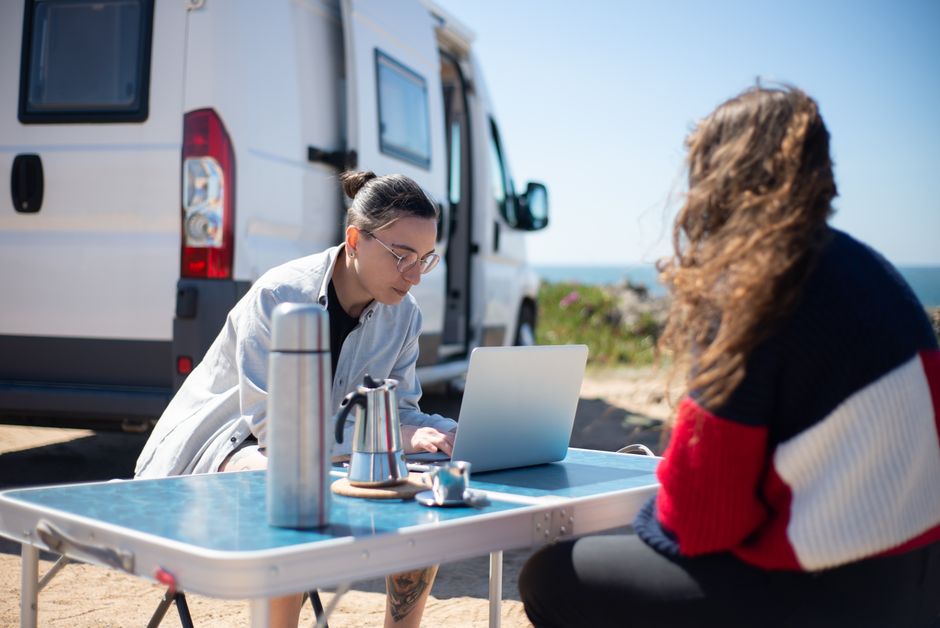
Traveling with family or a group of friends? A portable WiFi hotspot could be a lifesaver. It allows everyone to connect their devices to the internet without needing to buy individual SIM cards. Several companies offer portable WiFi rentals in New Zealand, including:
- Pocket WiFi NZ: Offers a range of devices with different data allowances and rental periods. They deliver the device to your hotel or airport and provide prepaid return postage.
- NZ WiFi Rental: Provides unlimited data plans and free delivery to Auckland Airport. Their devices are easy to use and come with helpful instructions.
Things to Consider: When renting a portable WiFi hotspot, pay attention to the data allowance. Make sure it's enough for everyone in your group. Also, check the battery life of the device and consider bringing a portable charger. Remember to factor in the cost of the rental and compare it to the cost of buying multiple SIM cards. In some cases, SIM cards might still be the more economical option.
Maximizing Free WiFi: When and Where to Use It

While I wouldn't recommend relying solely on free WiFi, it can be a useful backup option or a way to save data when you're in a pinch. Here are some tips for maximizing free WiFi in New Zealand:
- Look for WiFi Hotspots: Many cafes, libraries, and public spaces offer free WiFi. Look for signs indicating free WiFi or ask the staff for the password.
- Use WiFi Finders: Apps like WiFi Map can help you locate nearby WiFi hotspots. These apps often include user reviews and password information, which can be very helpful.
- Download Offline Content: Before you head out for the day, download any maps, articles, or podcasts you might need. This will allow you to access them even when you don't have an internet connection.
- Limit Data Usage: When connected to free WiFi, avoid streaming videos or downloading large files. Focus on essential tasks like checking emails or sending messages.
- Be Mindful of Security: As mentioned earlier, free WiFi is generally not secure. Avoid entering sensitive information, such as credit card details, or accessing personal accounts. Use a VPN (Virtual Private Network) to encrypt your data and protect your privacy.
Practical Tips for Staying Connected on the Go

Beyond choosing the right communication option, here are some practical tips to help you stay connected during your New Zealand travels:
- Download Offline Maps: Google Maps allows you to download offline maps for specific areas. This is incredibly useful for navigating in areas with limited or no mobile coverage. I always download the areas I plan to visit BEFORE I even get to the airport!
- Use Navigation Apps: Apps like Google Maps, Waze, and Maps.me can provide real-time traffic updates and help you find the best routes.
- Inform Your Bank: Let your bank know that you'll be traveling to New Zealand. This will prevent them from blocking your credit or debit card due to suspicious activity.
- Set Up Voicemail: Set up voicemail on your phone so you don't miss important calls while you're away.
- Learn Basic Maori Phrases: Knowing a few basic Maori phrases, such as "Kia ora" (hello) and "Ngā mihi" (thank you), can enhance your cultural experience and show respect for the local culture.
- Embrace the Disconnect: While staying connected is important, don't forget to disconnect from technology and fully immerse yourself in the beauty of New Zealand. Put down your phone, breathe in the fresh air, and appreciate the stunning scenery.
My Personal Recommendations & Lessons Learned

Okay, so after several trips to New Zealand, here's what I've learned: For longer trips (two weeks or more), a local SIM card is almost always the best value. Vodafone generally offers the most reliable coverage, but Spark's free WiFi hotspots can be a nice perk, especially if you're on a budget. For shorter trips or group travel, a portable WiFi hotspot might be a better option. Don't rely solely on free WiFi unless you absolutely have to, and always be mindful of security.
My biggest mistake? Assuming that I'd have cell service everywhere! There was that one time I got completely lost hiking in Fiordland National Park. No service, no map, just me and a whole lot of sheep! Thankfully, I eventually stumbled upon a ranger station, but it was a valuable lesson learned. Always be prepared, download offline maps, and let someone know your hiking plans.
Ultimately, the best communication solution for your New Zealand trip will depend on your individual needs and budget. Take the time to research your options, weigh the pros and cons, and choose the solution that works best for you. And most importantly, don't forget to disconnect from technology every now and then and enjoy the incredible beauty of Aotearoa!
Have a fantastic trip! Hei konā mai (Goodbye)!
Post a Comment